

Capital Improvement Plan Public Access Dashboard Guide
General Capital Improvement Plan (CIP) Dashboard Overview
Navigating to the Capital Improvement Project Plan Dashboard
Dashboard Site Location and Access Info
You will not need to sign in to access this dashboard.
CIP Public Access Dashboard Homepage
Dashboard Layout
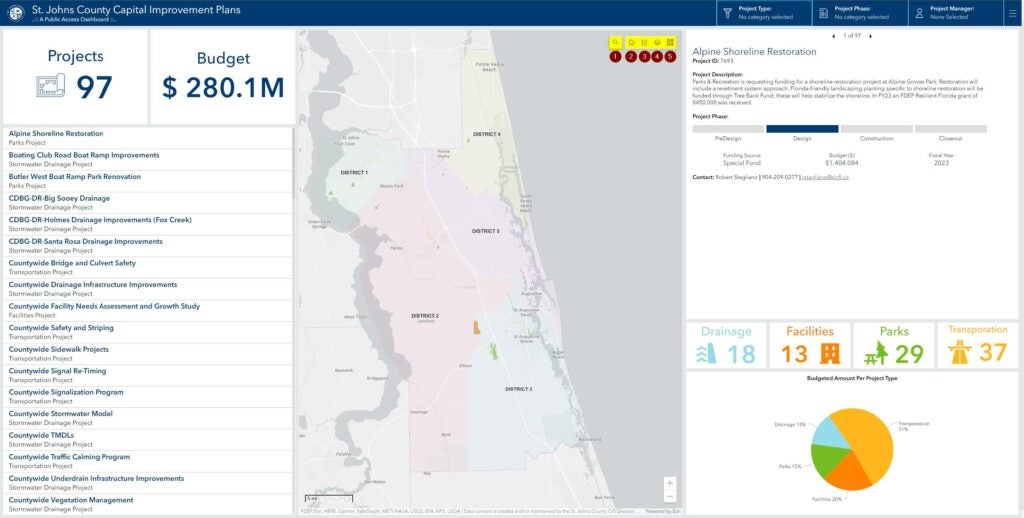
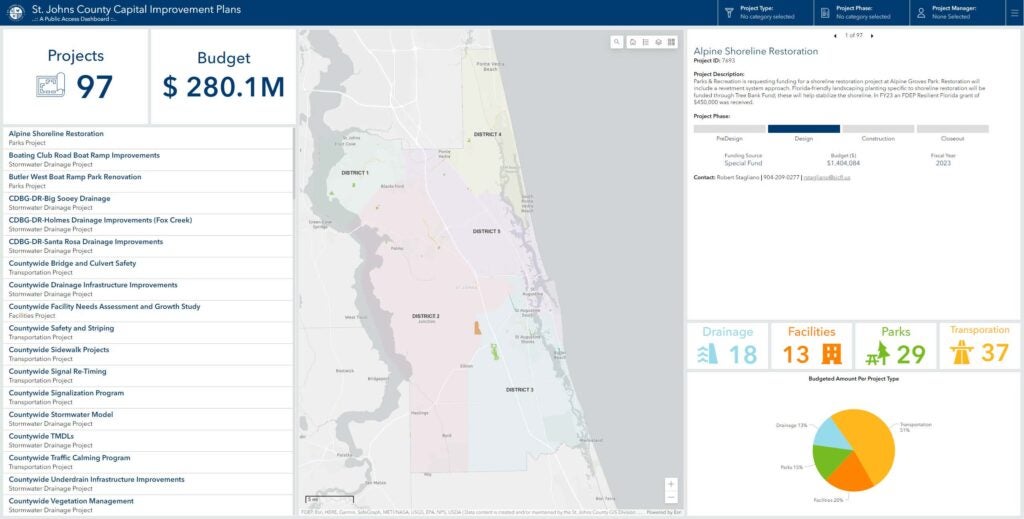
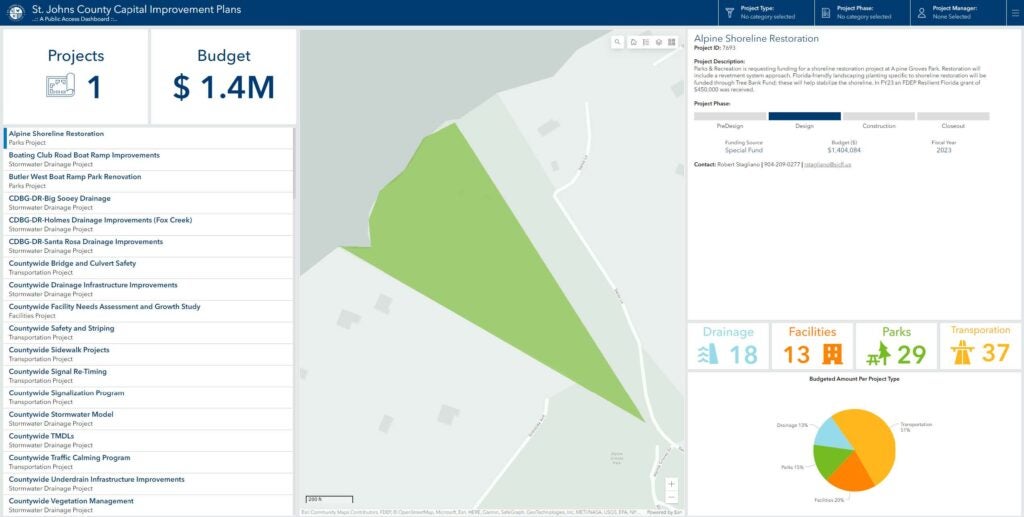
Track active capital projects from the CIP application. It provides a total count of active projects, locations, descriptions, and infographics.
CIP Public Access Dashboard
Filtering Function
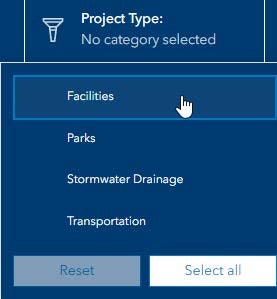
Filters on the top right side of the screen can be used to narrow down the project type and phase to fine-tune your selection.
CIP Filters
Selecting Function
Projects may also be selected from the “Projects” list in the highlighted section above and will display the corresponding project information, such as what is shown in image below.
Project Selection List
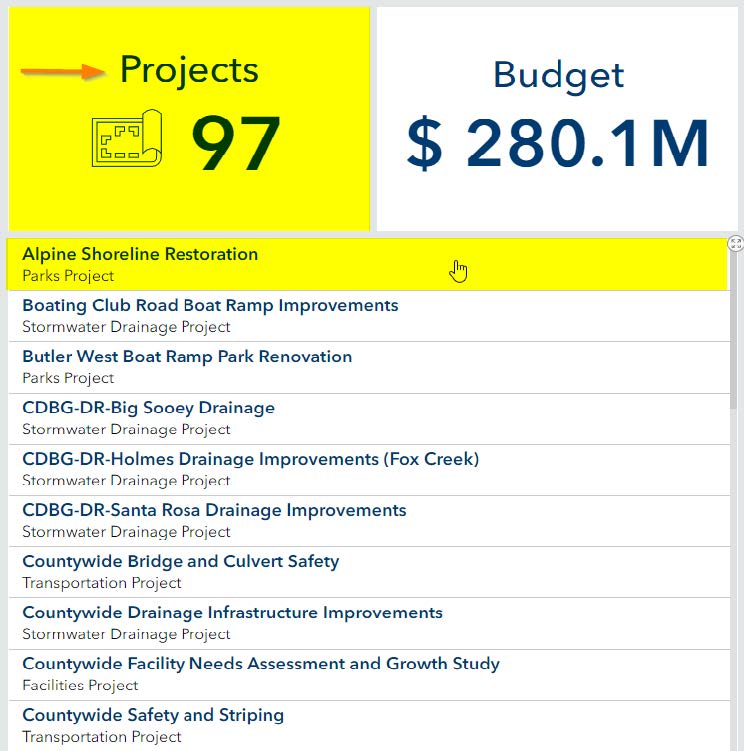
Demonstration of Project Selection
Reset Function
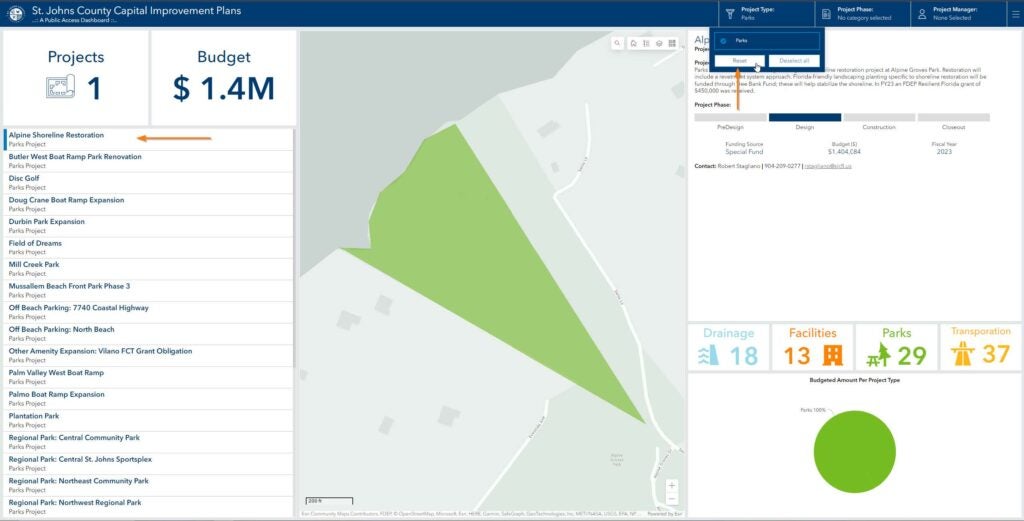
To reset your selection, click on the project in the project list. To reset ALL project types, click on the “Reset” button.
Reset Project Selection
Map Functions
Available map functions to assist in displaying your project.
- Address Search
- Home (Zooms out to show the entire county)
- Legend
- Layers (can be used to turn on and off specific layers)
- Basemaps (Allows you to choose what the basemap looks like)
Map Functions