


Clearance Sheet Submittal Guide
Customer guide to online clearance sheet submittal
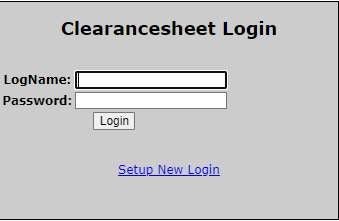
Step 1 – Create Account and Login
First time Customers will need to click the “Setup New Login” click to set up a user account. Contractors who have existing online accounts set up with St. Johns County Building Dept. may be able to use their existing login credentials.
Step 2 – Submit or Manage Applications
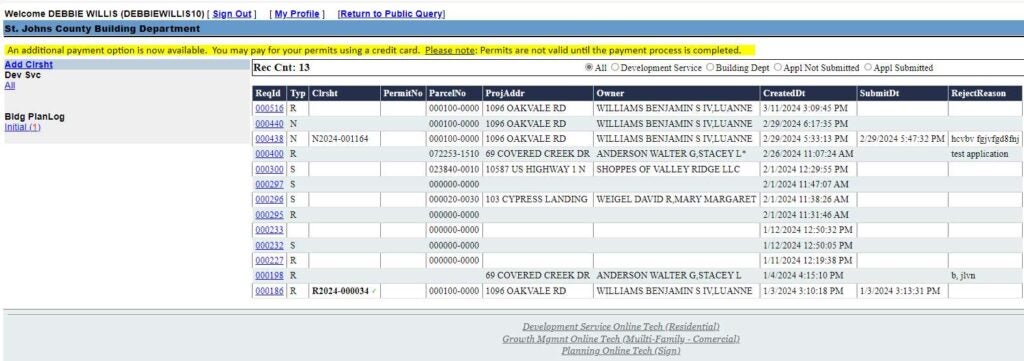
Once signed in, Customers will be able to manage their existing applications view existing clearance sheet applications and submit new applications.
Step 3 – Submit Clearance Sheet
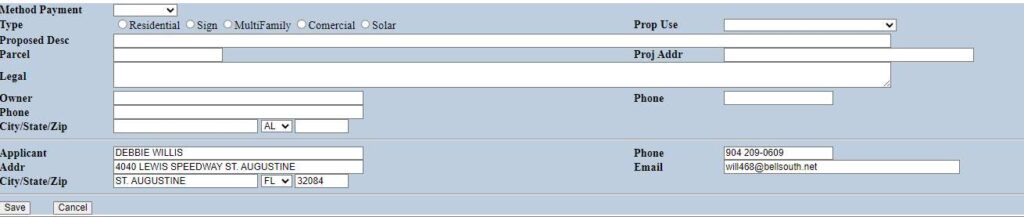
To submit a new clearance sheet application, click Add Clrsht. The below input screen will appear. Method of Payment is a drop down list. Credit Card will be the only option unless the customer has an escrow account.
Select appropriate method of payment (no charge will be applied at this time. Prop Use (Proposed Use) is also a drop down list.
Please select the appropriate proposed use for the clearance sheet you are submitting. Enter a Proposed Desc (Description). The parcel field must be typed in with no dashes. Do not copy and paste. The system will automatically place the dash. Press the tab key, and the system should auto-fill the remaining information.

Note: Review the Email field since this is the email address that will be used as the contact for the clearance sheet. The system will autofill whatever email address is listed in the user account profile.
Change the email address if needed, to the appropriate contact person email address for this application. Click Save.
Step 4 – Document Upload
The system will return to the main page, and the clearance sheet you just saved will be listed.
Click ReqId for the clearance sheet you are working on. There should now be a section to upload documents. Any Document Type highlighted in yellow is a required Document Type.
Click Upload. You will receive a pop-up notification that your document was uploaded.

Step 5 – Submission
Click Submit to complete the clearance sheet application to St. Johns County.

Email Verification
Applicants who utilize an e-mail verification system will need to add the following St. Johns County departmental e-mail addresses to their white list: plandept@sjcfl.us, gmtranplan@sjcfl.us, gmdev@sjcfl.us in order to utilize the online application and also the response to comments system.